Selecting the oil cooler with the Bitzer Software
The design in the software is based on the discharge gas temperature. Discharge gas temperature or oil cooler outlet temperature (= oil injection temperature) are then thermostatically controlled (Thermostatic control of the oil cooler).
A design with frequency inverter is also possible with the Bitzer Software - or available on request by Bitzer.
Oil cooler capacity at part load may be higher than at full load.
This has to be taken into account when designing the oil cooler (consult with Bitzer if necessary).
As an example, a selection for HS. compressors is described below. The same applies to CS. compressors.
HS. compressor with R449A
Example:
Refrigerant | R449A |
Compressor | HSK7471-90 |
Operating conditions | to = -10°C |
Conditions in power supply | 400 V / 3 / 50 Hz |
Step 1: Choose the relevant conditions and start calculation by clicking on the button 
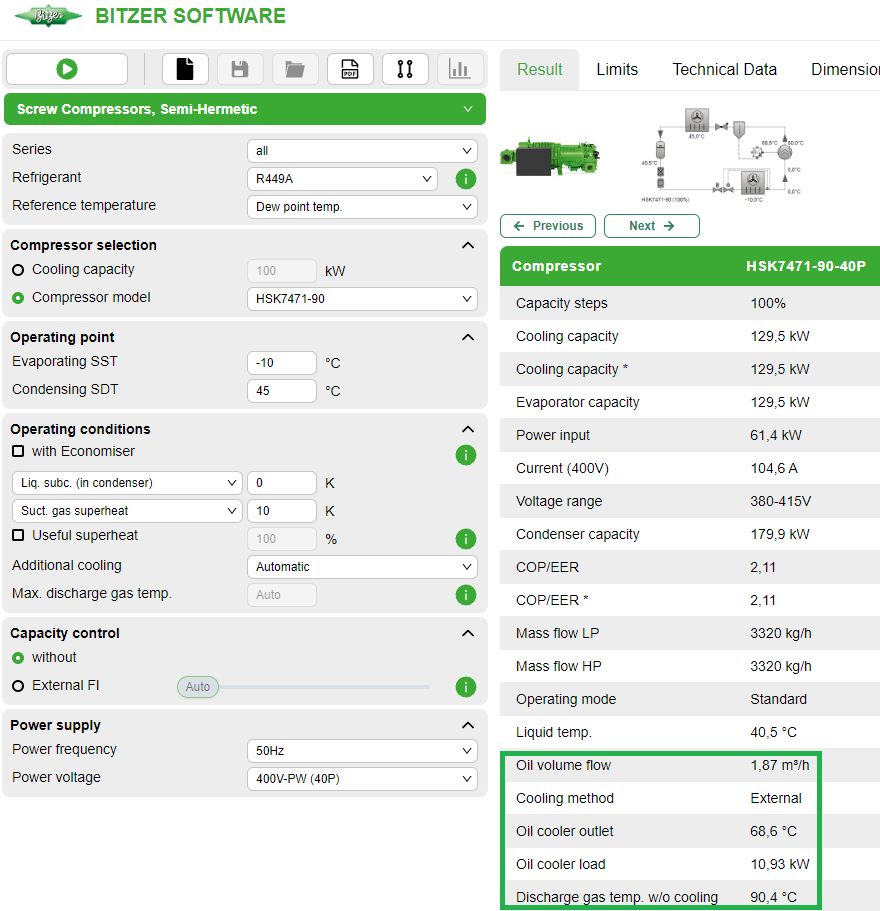
The calculation shows that external cooling is necessary:
Under "Additional cooling" it is then possible to select "External oil cooling", and the software indicates a maximum discharge gas temperature:
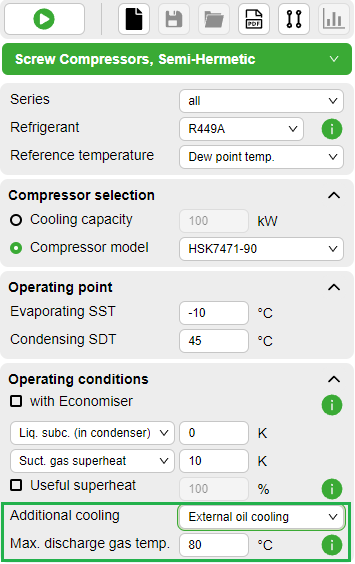
The default setting is the maximum discharge gas temperature recommended by Bitzer of
- 80°C for HS. and OS. compressors
- 110°C for CS. compressors
These temperatures also apply in part load operation, where the discharge gas temperature may be higher. This must be taken into account in the selection - if necessary recalculate with the Bitzer Software or ask Bitzer.
Depending on the preset or selected discharge gas temperature, the oil cooler capacity changes when recalculated:
- If in the above example the max. discharge gas temperature is increased from 80°C to 85°C, the oil cooler capacity decreases from 10,93 to 5,68 kW.
- If the max. discharge gas temperature is reduced from 80°C to 75°C, the oil cooler capacity increases from 10,93 to 16,25 kW.
The maximum discharge gas temperature selected here must also be taken into account when controlling the oil cooler (Thermostatic control of the oil cooler)!
Step 2: In the upper menu bar, click the accessories tab.
The accessories module will only become active after a previous calculation!
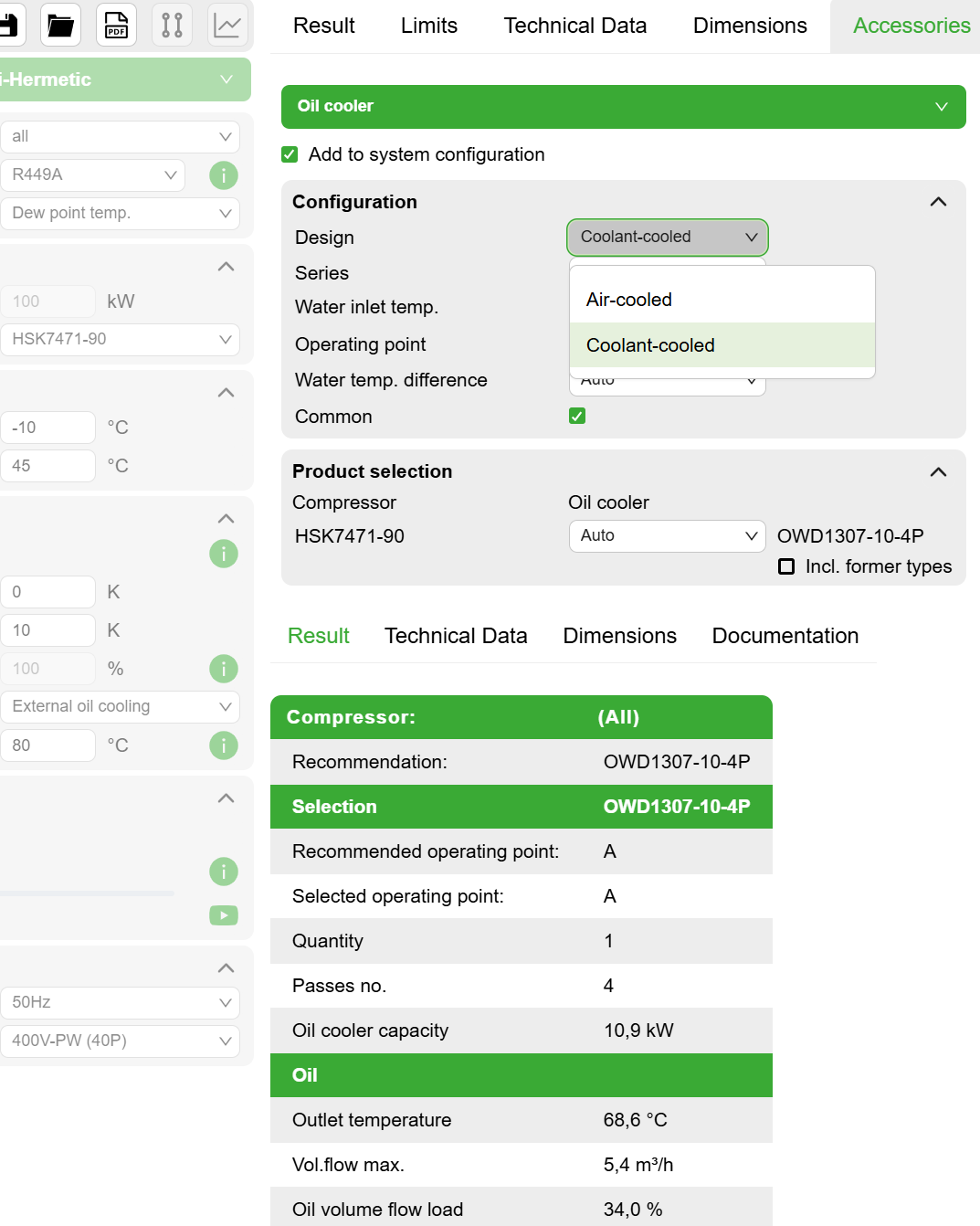
The accessories window opens and initially suggests a coolant-cooled oil cooler, but an air cooled one can also be selected.
HS. compressors with R404A
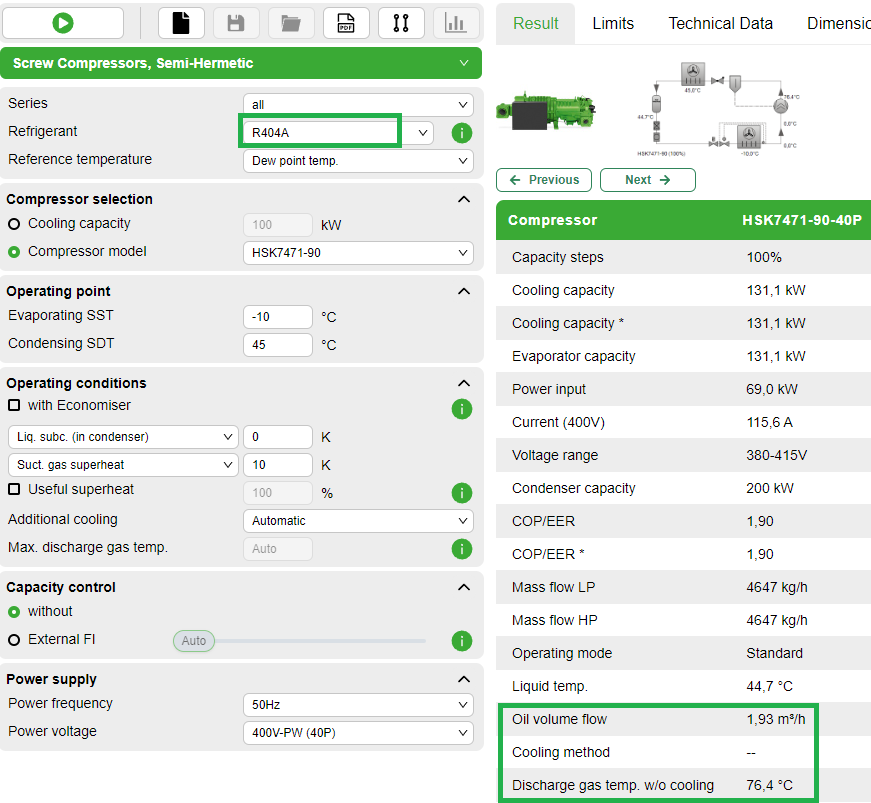
With the refrigerant R404A and the same operating conditions as above, no oil cooling is necessary. The Bitzer Software in this case indicates "--" for "Cooling method":
OS. compressors
A selection example for open drive screw compressors with R717 (NH3) is given in the Technical Information AT-640 (chapter "Selection via Bitzer Software").